When creating documentation, tutorials, or just fun animations, the typical "screen to GIF" workflow has always been clunky: record with one app, upload to a site like Ezgif, wait for processing, and worry about sensitive data leaks.
But now with Hexocto, GIF creation is seamless.
Pain Points of Traditional GIF Generators
While Ezgif.com has been a go-to for years, it has significant drawbacks:
- Privacy Risks: You must upload your screen recordings to a third-party server.
- Fragmented Workflow: You need separate software to "record" before you can even start editing.
- File Size Limits: Large video files often fail to upload or result in "stuttering" animations.
- Cluttered Interface: Navigating a maze of buttons just to trim a few frames.
A Faster, Smarter Way to Screen to GIF
Our built-in Screen to GIF tool changes the game by seamlessly integrating recording and editing into a unified browser experience.
1. Zero Uploads, 100% Privacy
Unlike other online converters, our tool requires no file uploads; everything is processed locally in your browser. Your recordings never leave your computer. This makes it the perfect choice for professionals handling sensitive data or internal software demos.
2. Record on Demand, Your Way
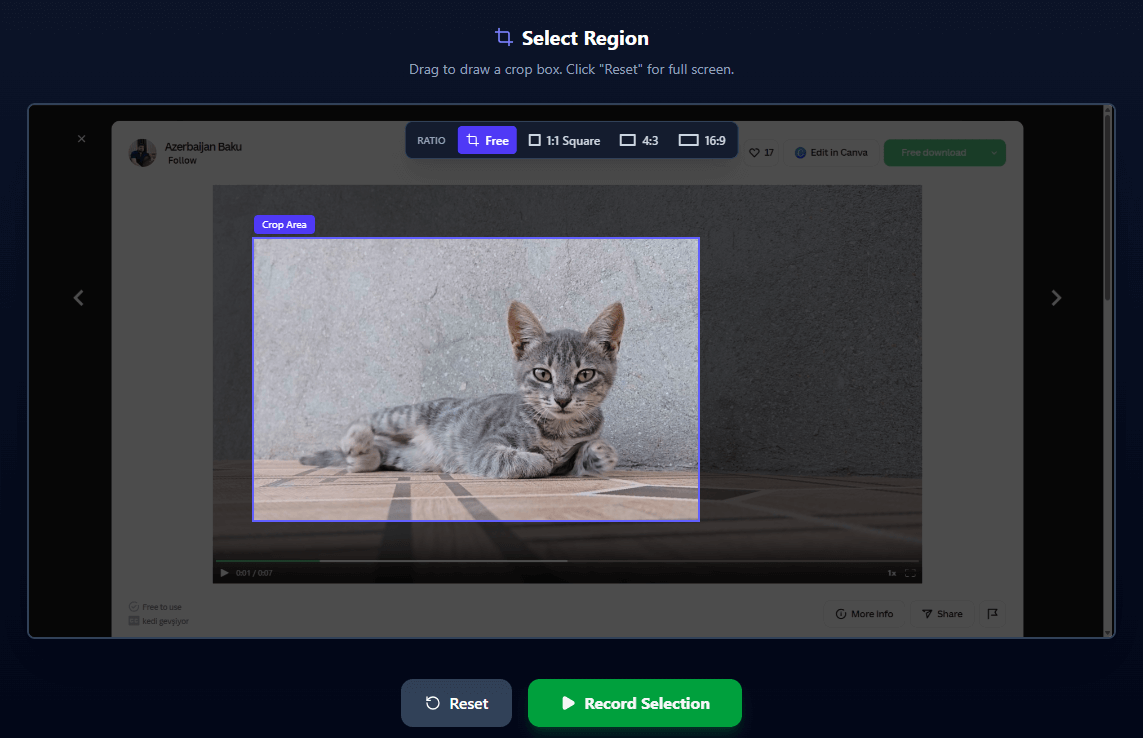
Why use two apps when one can do it all? Our integrated area recorder allows you to:
- Select specific areas on your screen with pixel-perfect precision.
- Ratio Presets: Quickly toggle between 16:9, 4:3, or Square ratios for social media-ready content.
- Live Preview: See exactly what you're capturing as you record.
3. Professional Editing, Simplified
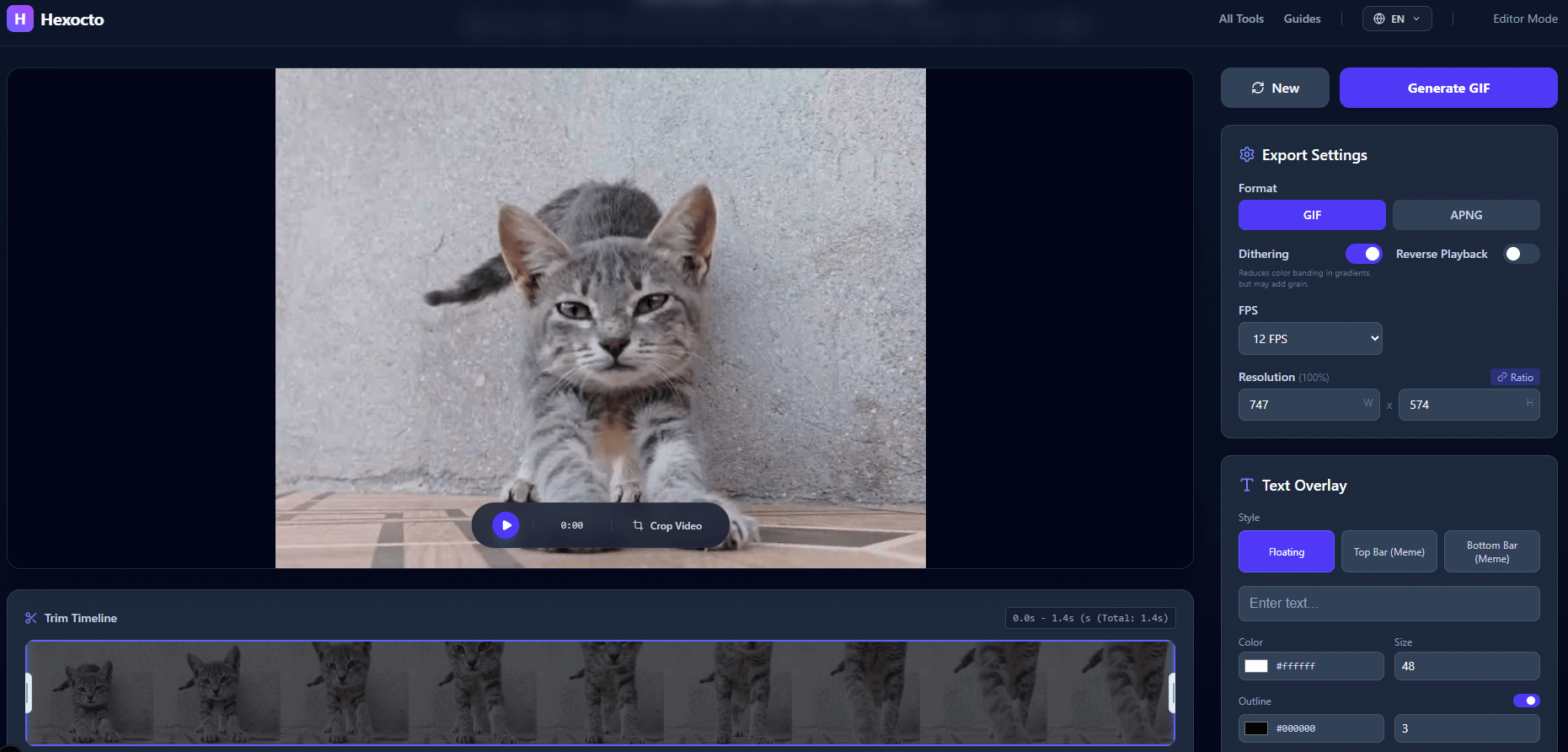
Say goodbye to complex software like GIMP or Ezgif's cluttered menus. Our user-friendly interface gives you only the core features you need:
- Visual Timeline: Trim your GIFs in seconds with drag-and-drop handles.
- Smart Scaling: Resize your output while maintaining perfect clarity.
- Pro Overlays: Choose between "floating" text or stylized "bar" headers/footers. Customize fonts, strokes, and colors to match your brand.
- Reverse GIFs: Generate reverse GIFs with one click for fun and engaging memes.
Start Creating Now
Say goodbye to "clunky" experiences. Whether you're on Windows, Mac, or Linux looking for the best screen to GIF tool, our solution offers the speed of a local app with the convenience of the web.
Try the ultimate GIF Maker (https://hexocto.com/gif-maker) today and experience the efficiency of a truly integrated workflow.